What this page needs to accomplish
The main job is simple: collect the facts needed to start a walkthrough request. For a cleaning service, that usually means the building use, the spaces involved, the approximate scale, and the best contact for access and scheduling.
Keep the page focused on the request itself. A visitor should understand what information is needed, why it is needed, and what will happen after the form is submitted. That reduces back-and-forth and helps the office prepare for the visit.
A useful page can also group services or describe them in plain language, which fits the way some business profiles present services and descriptions. That does not replace your own intake process, but it can help the visitor recognize the type of work being discussed.
What to ask for on the form
Use a short form with only the fields needed to plan the walkthrough. If you ask for too much at once, some facility managers may stop halfway through. If you ask too little, your team may need to chase missing details later.
A good structure starts with the facility itself, then moves to the areas that need review, and ends with the person who can open the door or approve access. That sequence follows the way a walkthrough is actually planned.
Avoid asking for public entry codes on the form. Access details should be handled through a private follow-up step with the authorized coordinator, not posted on an open page.
See example business websites with clear services and contact paths for an example of how this can work on a site.
A practical page structure that matches the decision
Organize the page around one decision: should the visitor request a walkthrough now, and if so, what information do they need to provide? That keeps the page from drifting into broad service marketing.
Start with a direct headline and one sentence that explains the purpose. Then place the request fields close together so the visitor can complete the form without hunting for the next step. Add a short note about why access details are collected separately.
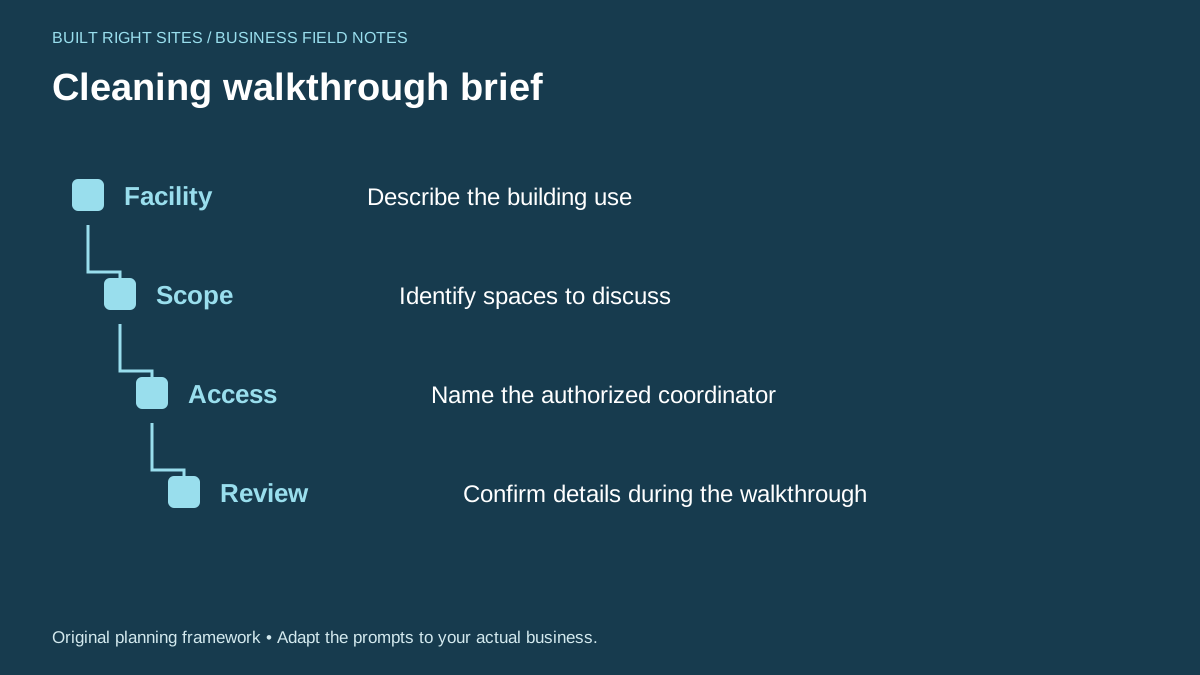
You can use a simple path-style layout for the planning flow: facility, scope, access, review. That mirrors the sequence a facility manager follows when preparing for an on-site visit.
The page should also support a clean next step after submission. Make sure the confirmation language tells the visitor who will respond and what to have ready for the walkthrough, such as site rules or building hours.
For the next part of this process, read Prepare customers for an estimate appointment.
Worked example: office versus shared retail building
Here is a completed example you can adapt. Suppose the visitor manages a shared retail building with two storefronts and a common hallway. The page should guide them to answer the request in a practical way, not in vague terms.
A completed form might read: Facility use: shared retail building. Spaces to discuss: front entry, shared hallway, two restrooms, and back storage area. Approximate scale: one floor, two suites, common areas. Authorized coordinator: Jordan Lee, property manager, 555-0100, jlee@example.com. Preferred walkthrough window: Tuesday or Thursday afternoon. Notes: use rear parking lot, check in at front desk, do not request door codes online.
Now compare that with an office building example. The same page could prompt: Facility use: professional office. Spaces to discuss: lobby, conference rooms, break room, and restrooms. Approximate scale: three floors, several suites. Authorized coordinator: Dana Smith, office administrator, 555-0142, dsmith@example.com. Preferred walkthrough window: weekday morning. Notes: visitor badge required; front desk will escort guests.
These examples show why the form should ask for use, scope, access contact, and review details. The wording changes by building type, but the underlying request stays the same.
Put this into practice
Cleaning walkthrough brief
- Facility: Describe the building use
- Scope: Identify spaces to discuss
- Access: Name the authorized coordinator
- Review: Confirm details during the walkthrough
An original planning framework from Built Right Sites, not a validated benchmark.
Make the page support operations beyond the form
A good walkthrough request page should not stop at design. It should connect to the rest of the business process: who receives the request, how it is reviewed, and what information is needed before the walkthrough happens.
Route the request to a monitored inbox or internal workflow, then use a simple response template that confirms receipt and asks for any missing details. That helps avoid delays and keeps the conversation consistent.
You can also use the same wording in your service descriptions elsewhere on the site so visitors see the same terms before and after they submit. That consistency is especially helpful when a business profile or other public listing describes services in grouped categories.
If the page receives requests for different building types, keep the form flexible. Let the visitor describe the facility in their own words, then use the follow-up step to sort out the details that matter for the walkthrough.
A commercial cleaning walkthrough request page works best when it helps a facility manager send the right details without exposing sensitive access information. Keep the form short, ask for building use, spaces to review, approximate scale, and an authorized coordinator, and use a private follow-up step for entry details. Support the page with a simple operational process so the request can move from form submission to walkthrough planning without confusion.
Related articles
See how your next website could work
A clear site gives interested customers a useful next step. Explore a homepage for your business, then decide whether it fits.
See my free homepageSources and further reading
- Google: Manage services — Business Profiles can group services and describe them.
Sources checked October 18, 2026. The worksheets and practical recommendations are our editorial guidance. AI-assisted drafting; reviewed before publication.