Start with the questions your customers actually ask
The best source for an FAQ page is your own day-to-day customer communication. Use the questions that appear in calls, emails, texts, estimate requests, and front-desk conversations. The goal is not to guess what people might ask. It is to use the words they already use when they are trying to decide whether to contact you, book you, or compare your service with another option.
If you have staff, ask them to save repeated questions in one place for a short period. Keep the wording as close to the original message as possible. A customer might ask, “Do I need to prep anything before you arrive?” Another might ask, “What should I clear before the appointment?” Those are different sentences, but the same intent. Capture both before you decide whether they belong together.
Group questions by intent, not by department
Once you have a list, sort it by what the customer is trying to learn. People usually want to know about preparation, pricing structure, timing, service area, what is included, what happens if something changes, and how to contact you. Grouping by intent helps the page read like a real conversation instead of a random list.
This is also where a clear heading structure matters. Headings help organize content and support navigation, so a visitor can scan the page and move to the answer they need. For a small-business site, that means each section should reflect a real topic, such as preparation, scheduling, or payment terms, rather than a vague category like “other questions.”
Do not force every question into its own answer if the same process applies. If three questions all point to the same preparation step, combine them and explain the shared process once. That keeps the page shorter and easier to use.
See example business websites with clear services and contact paths for an example of how this can work on a site.
Write answers that explain process and exceptions
A helpful FAQ answer does more than say yes or no. It should explain the real process, the customer’s next step, and any exception that changes the usual routine. If a customer needs to prepare a room, have paperwork ready, or confirm access, say so plainly. If there are cases where the process changes, mention those too.
Keep the answer concrete. Instead of writing, “We are happy to help with any questions,” say what the customer should do and what you will do in response. For example, a service business might explain when to send photos, when to wait for a callback, and what information speeds up an estimate. That kind of answer reduces back-and-forth and helps the visitor decide whether to move forward.
Be careful not to overstate what the FAQ can do. It can reduce confusion and set expectations, but it does not replace a real estimate, a direct conversation, or a service agreement. If a question needs a human decision, say that clearly.
For the next part of this process, read Simplify your website menu on phones.
Worked example: turning a vague prep question into a useful answer
Here is a hypothetical example for a home service company. The original notes include these customer questions: “What do I need to do before you arrive?” “Do I need to move furniture?” and “How should I prepare the room?” Those all point to the same intent, so they can become one FAQ entry.
A clearer answer might read: “Before we arrive, please clear small items from the work area and make sure we can reach the room without delay. If furniture needs to be moved, tell us in advance so we can confirm what is included and whether anything needs to stay in place. If your space has special access instructions, send those before the appointment.”
That answer works because it gives the customer a real next step, explains an exception, and leaves room for business-specific limits. It also reduces the chance that the customer assumes every situation is the same. If the company has a separate policy for large furniture or tight access, that should be stated in the answer or on the related service page.
Put this into practice
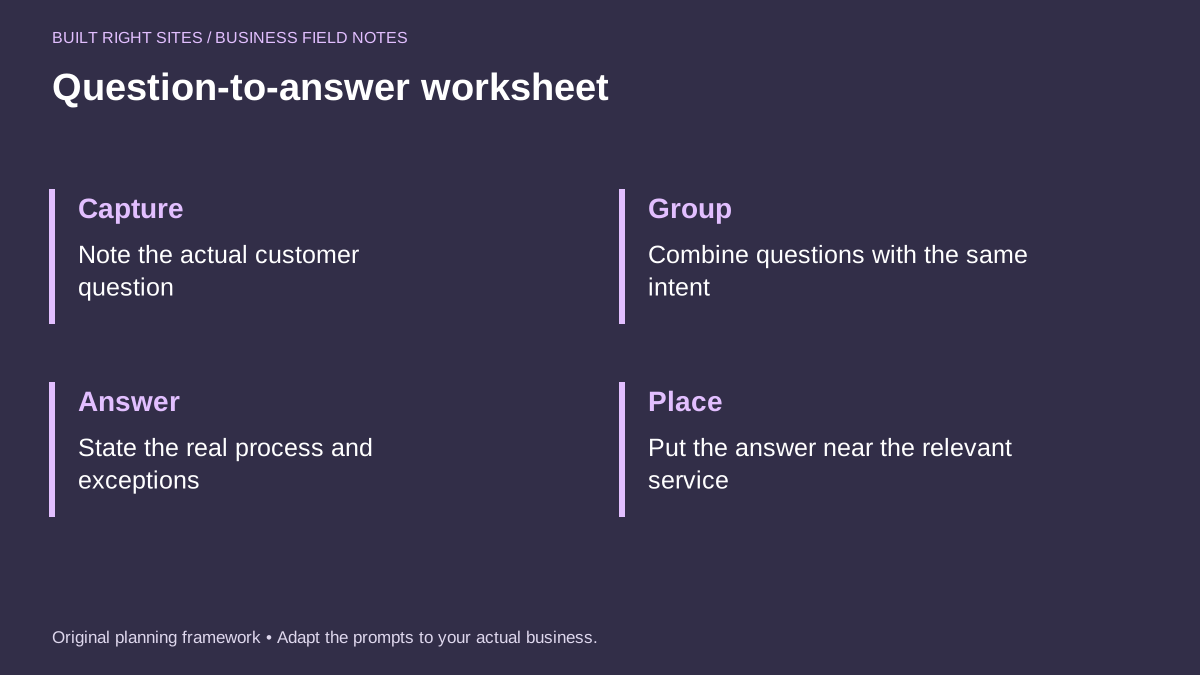
Question-to-answer worksheet
- Capture: Note the actual customer question
- Group: Combine questions with the same intent
- Answer: State the real process and exceptions
- Place: Put the answer near the relevant service
An original planning framework from Built Right Sites, not a validated benchmark.
Place the FAQ where it supports the rest of the site
An FAQ page works best when it connects to the rest of the site instead of sitting alone. Put answers near the relevant service pages whenever the question is tied to a specific offering. Use the FAQ page for repeated general questions, then link visitors toward the service details, contact path, or appointment request page when they need more information.
Pay attention to how the page is labeled and grouped. If the section headings are clear, visitors can scan quickly and find the answer that matters. If the site has separate service pages, contact details, and an about page, make sure the FAQ supports those pages rather than repeating them word for word.
The most useful FAQ pages are updated as questions change. Review new inquiry notes from time to time and replace old questions that no longer come up. If the team keeps hearing the same concern, add it. If an answer starts creating confusion, rewrite it in plainer language.
A strong FAQ page is built from real customer questions, grouped by intent, answered with plain process, and placed where visitors need it most. If you keep the wording concrete and update it as new questions appear, the page can help customers move forward without forcing them to search or guess.
Related articles
See how your next website could work
A clear site gives interested customers a useful next step. Explore a homepage for your business, then decide whether it fits.
See my free homepageSources and further reading
- W3C: Headings — Headings communicate content organization and support navigation.
Sources checked October 18, 2026. The worksheets and practical recommendations are our editorial guidance. AI-assisted drafting; reviewed before publication.