Start with the customer task, not the page you like best
The best destination depends on what the person clicking your profile is trying to do. If they want to book an appointment, the link should take them to a page that supports booking. If they want to check whether you serve a need, a service page may be a better fit. If they are looking for a local storefront, your home page can work if it quickly answers who you are, where you are, when you are open, and how to reach you.
This is a practical decision, not a design preference. A nice-looking homepage can still be the wrong destination if it forces people to hunt for basic facts. A focused service or booking page can be better if it gets the customer to the next step with less effort.
For businesses with a clear one-step action, the destination should reduce friction. For businesses that depend on walk-ins or broad comparison shopping, the destination should help a visitor confirm the essentials fast.
Match the destination to the kind of business you run
An appointment-based workshop usually needs a different destination than a storefront. A workshop customer often wants to know whether the business can handle a specific job and how to schedule it. That makes a service page or booking page a sensible choice. The page should explain the work in plain terms, show what the customer can do next, and keep the path to contact simple.
A storefront business has a different need. A customer may be checking whether you are open, where to park, or whether you handle a quick in-person purchase. In that case, a homepage can work if it is built around location, hours, services, and contact paths. If the homepage hides those details, consider whether another page is a better destination.
A service-area business may need yet another approach. If customers do not come to you, the destination should make the service territory and request path clear. The goal is not to force every business into one structure. It is to make sure the page matches how the business actually serves customers.
See example business websites with clear services and contact paths for an example of how this can work on a site.
A worked example: a repair shop chooses between two destinations
Here is a hypothetical example. A neighborhood repair shop offers both walk-in help and scheduled diagnostics. Its Google Business Profile currently points to the homepage, but the homepage opens with a brand story and a large banner before listing services. The owner wants fewer confused calls and more qualified requests.
Using the worksheet, the owner checks four things. First, the homepage does introduce the actual business, but not quickly. Second, the action link on the profile does not match the booking task because the page does not make scheduling obvious. Third, the hours and phone number are listed on the site, but lower on the page than they should be. Fourth, when the owner follows the link as a customer, the next step is not clear.
The completed decision is to move the profile destination from the homepage to a dedicated service-and-booking page. Sample wording for that page could be: 'Need a repair estimate? Start here to request service, check availability, and contact our shop.' That wording is not fancy, but it tells the visitor what to do next. The homepage can still exist for general information, but the profile link should point to the page that supports the most important customer action.
For the next part of this process, read Set clear service area expectations.
Check accuracy before and after you change the link
Once you choose the destination, review the facts on both sides. Hours, services, phone number, and location should match. If the profile says one thing and the website says another, customers may stop and look elsewhere. Small mismatches matter because they create doubt about whether the business is current and reachable.
Review the page from a phone as well as a desktop screen. A page that looks fine on a laptop can hide the most important details on mobile. Make sure the first visible section gives the customer the basics they need, and that the click path stays simple.
Also check the service language. If the profile points to a booking page, that page should not read like a generic homepage. If it points to a storefront page, it should not bury the store details under unrelated content. The destination should match the promise implied by the profile action.
Put this into practice
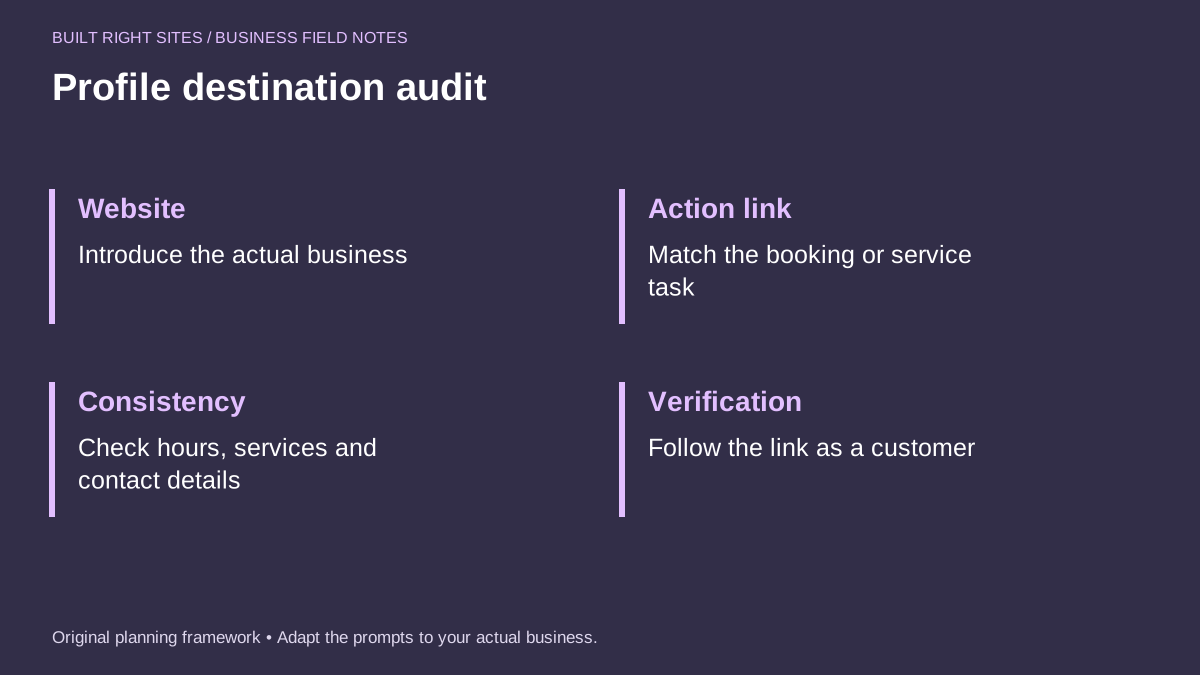
Profile destination audit
- Website: Introduce the actual business
- Action link: Match the booking or service task
- Consistency: Check hours, services and contact details
- Verification: Follow the link as a customer
An original planning framework from Built Right Sites, not a validated benchmark.
Keep the setup practical over time
Treat the destination as part of your day-to-day operations, not a one-time website choice. If your hours change, services expand, or booking rules change, the destination may need to change too. A page that fit last season may no longer fit the current customer path.
For some businesses, the right move is a seasonal review. For others, it is a review after any major change in services, location, or appointment flow. The point is to keep the profile and website aligned with how customers actually do business with you.
If you are unsure which page should carry the load, choose the page that most directly supports the action you want. Then use the worksheet again to confirm the path makes sense from the customer’s point of view. A clear destination is usually better than a busy one.
The right Google Business Profile destination is the one that fits the customer’s next step and reflects how your business actually works. For some businesses that means a booking page, for others a service page or a clear storefront homepage. Use the worksheet to spot mismatches, test the link as a customer, and keep the key details consistent so the path from profile to website stays useful.
Related articles
See how your next website could work
A clear site gives interested customers a useful next step. Explore a homepage for your business, then decide whether it fits.
See my free homepageSources and further reading
- Google: Local business links — Eligible Business Profiles can link to booking destinations.
Sources checked October 18, 2026. The worksheets and practical recommendations are our editorial guidance. AI-assisted drafting; reviewed before publication.