Start with the reason someone will scan
Before you choose the destination, decide what the person is trying to do when they scan. The right page depends on context. Someone scanning a code on a storefront window may want hours, directions, or services. Someone scanning a sample tag in a showroom may want product details or a quote request. Someone scanning a flyer may be looking for a booking step or a contact form.
This is the main decision: the scan should continue the conversation that started on the printed item. If the printed piece is about one service, the QR destination should stay focused on that service instead of sending people to a general homepage with too many paths.
Build a page that answers one question first
Once you know the scan context, write the page around that single question. The page should not force a visitor to hunt. Put the answer near the top, then add one practical action step. If the question is "Do you install this?" the page should say that plainly before anything else. If the question is "Can I get a quote?" the page should show how to request one without extra clutter.
Google’s link guidance says to use descriptive, relevant link text and crawlable links. That idea matters here because a QR destination should be easy to understand for people and systems alike. Keep the wording specific, and use plain labels such as "Request a quote," "Call the office," or "See showroom hours."
Do not rely on the page to do everything. A useful QR landing page can still be simple. It should make the next step obvious, load well on a phone, and avoid dead ends like a long menu of unrelated pages.
See example business websites with clear services and contact paths for an example of how this can work on a site.
Use a stable short url and a readable fallback
A printed QR code should point to a stable address that you control. That gives you a dependable place to send people from signs, handouts, packages, and displays. A short URL is easier to print beside the QR code and easier for a person to type if the scan fails.
Always print the fallback URL in readable text near the code. That matters because some people will type the address, not scan it. The printed text should be short enough to enter without frustration and clear enough to read at a glance. The QR code and the text should point to the same page so the experience stays consistent.
Use the same destination across related printed pieces when the context is the same. If a sign shop places QR codes on showroom samples, each sample can use its own destination page only when the question changes. If the question is the same, keep the destination the same to reduce confusion.
For the next part of this process, read Track the links that bring useful leads.
Test the printed size on a real phone
A QR code should be tested in the format people will actually see. Scan it from the printed size, not just from a design file on a screen. Check whether it works from a normal standing distance, under ordinary light, and with a typical phone camera. If the code is too small, too busy, or placed awkwardly, the scan may fail even when the page itself is good.
This is where practical setup matters more than design polish. Make sure the code has enough contrast, enough white space around it, and a place on the sign or sheet where it will not be blocked by folds, corners, or glare. If the printed item is a sample label, leave room for the fallback URL and a short instruction such as "Scan for details."
A simple field test is better than assuming the code will work everywhere. Test the actual print, then adjust the placement or size before you distribute it widely.
Put this into practice
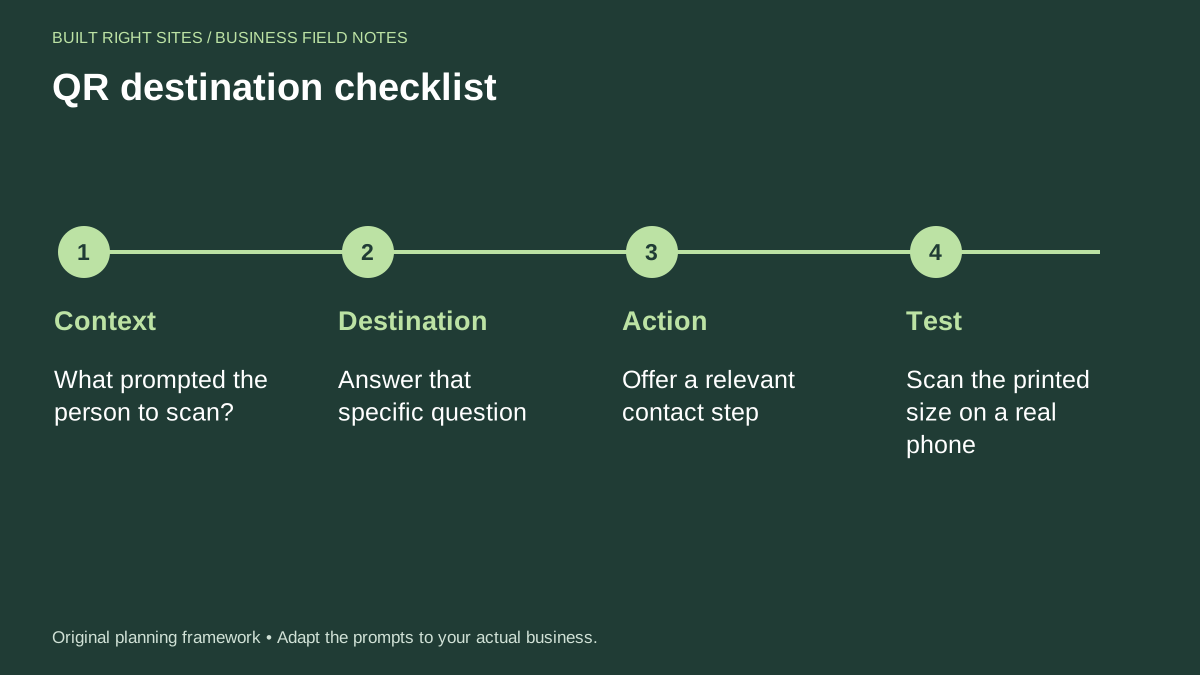
QR destination checklist
- Context: What prompted the person to scan?
- Destination: Answer that specific question
- Action: Offer a relevant contact step
- Test: Scan the printed size on a real phone
An original planning framework from Built Right Sites, not a validated benchmark.
A worked example for a sign shop showroom
Suppose a sign shop places a QR code on a countertop sample that shows a dimensional letter style. The scan context is clear: the customer wants to know what the sample is, whether it can be ordered, and how to ask questions. A useful destination page could open with: "Dimensional Letters for Lobby and Storefront Signs."
Below that heading, the page could say: "See material options, common uses, and how to request a quote for your space." Then it could offer one primary action button labeled "Request a Quote" and a secondary action labeled "Call the Shop." The printed label beside the code could read: "Scan for product details and quote help."
That example keeps the destination tied to the sample, not to the whole company story. It gives the visitor the answer first, then a real next step. It also gives the print piece a readable fallback URL, so the same information is available even if the scan does not happen.
If the shop uses the same pattern on multiple samples, each page should reflect the specific item rather than reusing a generic page. A sample for channel letters should not send the visitor to a page about vinyl banners unless the printed question is actually about banners.
A useful QR code does three things well: it matches the scan context, it sends people to a page with one clear answer and one clear action, and it works when tested on the printed item with a readable fallback URL. If you keep those basics in order, the code becomes a practical bridge from print to a real business contact step instead of an empty square on a sign.
Related articles
See how your next website could work
A clear site gives interested customers a useful next step. Explore a homepage for your business, then decide whether it fits.
See my free homepageSources and further reading
- Google Search Central: Link best practices — Use descriptive, relevant link text and crawlable links.
Sources checked October 18, 2026. The worksheets and practical recommendations are our editorial guidance. AI-assisted drafting; reviewed before publication.