Start with the question you actually need answered
The useful question is not “Which link got the most clicks?” It is “Which marketing links tend to start conversations that turn into real business?” That means you need one way to identify the link a person saw, one way to see the visit in analytics, and one way to note what the customer said when they reached out.
A practical setup usually has three parts: a tagged link, a configured analytics report, and a manual inquiry log. The log matters because a customer’s stated source and the usefulness of the inquiry are not the same thing as a click count. A form fill or phone call can look successful on paper and still not be a good fit for your service area, budget, or schedule.
Build UTM links the same way every time
UTM parameters are the labels you attach to a link so analytics can identify a campaign source. For a small business, a simple naming system is usually enough. Keep the words short, readable, and consistent so your team can tell one link from another without guessing.
For a hypothetical community directory placement, the destination might be https://example.com/projects?utm_source=community_directory&utm_medium=referral&utm_campaign=spring_projects. Here example.com represents your own website, not the directory referring the visitor. Source names the placement, medium describes the channel, and campaign groups this effort. Keep customer names, email addresses, and other personal information out of these URLs.
The key is to decide your naming rules before you create a batch of links. If one person uses “referral” and another uses “referrals,” or one uses “spring-projects” and another uses “spring_projects,” your reporting becomes harder to read. The goal is not fancy tracking. The goal is clean records you can actually compare later.
See example business websites with clear services and contact paths for an example of how this can work on a site.
Use analytics, but know what it can and cannot tell you
Campaign parameters identify referring campaigns in configured Analytics reporting, but that only helps if your setup is ready to capture and display the data. Before you rely on reports, confirm that your analytics tag or property is installed, working, and able to show campaign information the way you expect. If that setup is incomplete, the tagged link may still exist, but your report may not tell the full story.
Even when analytics is configured, it will not see every visit. Consent choices and ad blockers can create gaps. That means you should treat the report as a useful signal, not a complete record of every person who clicked. This is why a manual inquiry log still belongs in the process.
The best habit is to check the visit data and the inquiry data together. If a source sends traffic but no one from that source calls, emails, or fills out a form, that may tell you something useful. It may also mean the link is being shown to the wrong audience, the page is not clear, or the offer is not specific enough.
For the next part of this process, read Give QR visitors a useful next step.
Record the stated source and the qualified outcome
When someone contacts you, ask how they found you in a plain, natural way. Then record their answer exactly as they gave it, along with whether the inquiry was useful for your business. A useful inquiry might mean it fits your service area, matches the kind of work you do, and looks serious enough to pursue. The point is to compare meaningful conversations, not just raw contact volume.
Here is a fully worked hypothetical example. Suppose a customer says, “I found you through the community directory page after seeing your spring projects post.” In your log, you could enter source stated by customer: community directory; campaign reference: spring_projects; outcome: useful inquiry, yes; reason: service area fits and project type matches. That record is more helpful than simply writing “lead came from website,” because it ties the conversation to a specific marketing path.
Do not turn this into a complicated scoring system if your team will not use it. A simple yes, no, or maybe on usefulness is often enough to start. The important part is consistency. If one person marks a lead as useful because it was polite, and another marks useful only when it matches your work, the data will not help you decide anything later.
Put this into practice
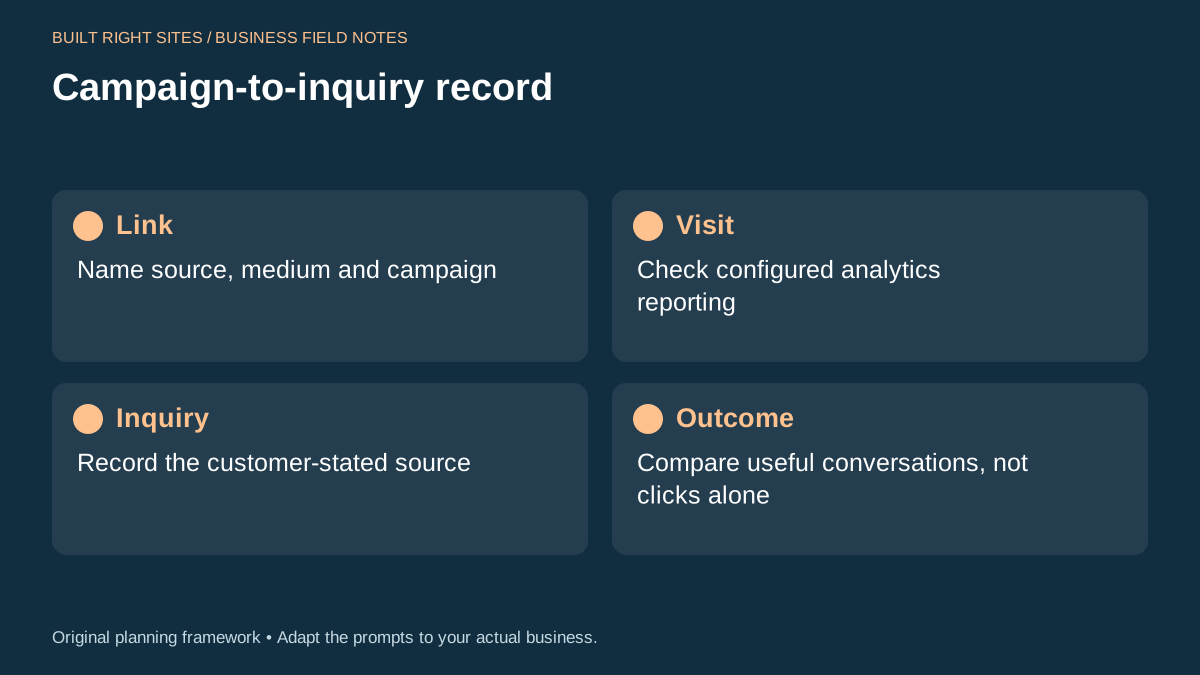
Campaign-to-inquiry record
- Link: Name source, medium and campaign
- Visit: Check configured analytics reporting
- Inquiry: Record the customer-stated source
- Outcome: Compare useful conversations, not clicks alone
An original planning framework from Built Right Sites, not a validated benchmark.
Turn the records into better marketing decisions
After you have a few weeks or months of records, compare patterns across the link, the visit, and the outcome. Look for channels that bring useful inquiries, not only channels that produce traffic. A source with fewer clicks may still be better if it leads to more conversations you actually want.
Use the findings to adjust your next round of outreach. If a directory link brings the right kind of inquiries, you might keep that placement and improve the linked page’s clarity. If another link brings lots of visits but poor-fit inquiries, you might change the message, the audience, or the place where the link appears. The decision is not always to stop or keep; sometimes the better move is to revise the offer or the landing page content so it matches the audience more closely.
You can also use the records to improve operations beyond marketing. If the same kind of inquiry keeps coming in from one source and your team keeps asking the same qualifying questions, add that information to your website, form, or phone script. The goal is not only better tracking. It is fewer wasted conversations and clearer next steps for the right prospects.
If you want to know which marketing links bring useful inquiries, keep the process simple: tag links consistently, confirm analytics is configured, record the source the customer gives you, and compare useful conversations rather than clicks alone. That approach will not capture every visit, but it can give a small business a clearer way to judge where to keep investing time and where to change the message. Treat these patterns as clues to investigate; attribution gaps and small samples do not establish that a campaign caused a sale.
Related articles
See how your next website could work
A clear site gives interested customers a useful next step. Explore a homepage for your business, then decide whether it fits.
See my free homepageSources and further reading
- Google Analytics: Campaign URL builders — Campaign parameters identify referring campaigns in configured Analytics reporting.
Sources checked October 18, 2026. The worksheets and practical recommendations are our editorial guidance. AI-assisted drafting; reviewed before publication.