Start with the pages that matter most
The routine should begin with customer-facing pages that affect decisions and next steps. Those usually include your homepage, service pages, contact page, location page, quote or booking form, and any page that explains hours, service area, policies, or special requirements.
A practical maintenance routine is not about touching every page equally. It is about finding the pages where stale details cause confusion. If your hours changed, a service was retired, or a form stopped working, those are the pages to review first.
Think of the website as a set of business instructions. When the instructions are wrong, people may call the wrong number, show up at the wrong time, or click into a dead end. The routine should focus on preventing that kind of friction.
Use the four-field log to decide what gets updated
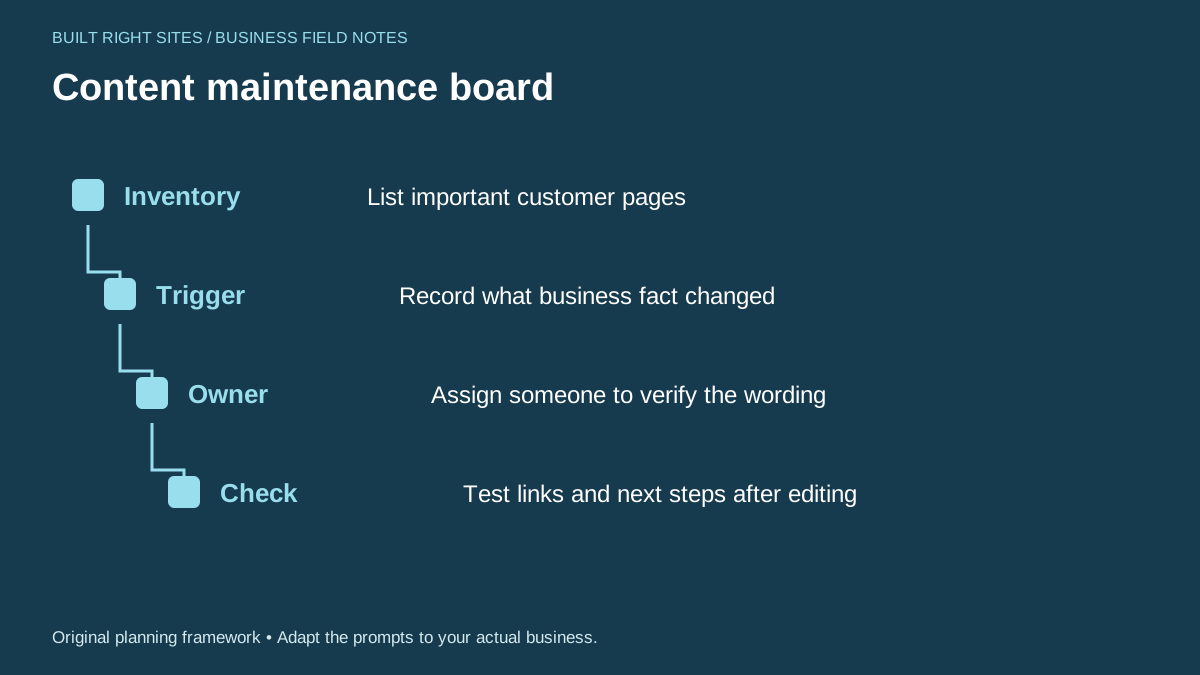
The printable worksheet centers on four fields: inventory, trigger, owner, and check. That is a useful way to keep maintenance practical. Inventory tells you which page is involved. Trigger records what changed in the business. Owner names the person who verifies the wording. Check confirms the link and next step still work after editing.
Use it as a planning log, not as a content system. It helps you decide what needs attention, but it does not replace judgment, writing, or testing. It also does not save data for you or update pages automatically. Someone still has to review the facts, edit the page, and confirm the result.
A simple way to use the log is to review it during a scheduled business check-in. When something changes in operations, record it immediately. Then assign one person to confirm the page wording before it goes live. That reduces the chance that one update fixes one page while breaking another.
Worked example: A local appliance repair company stops servicing a certain brand. The log entry might read: Inventory: service page and homepage; Trigger: brand support discontinued; Owner: office manager; Check: remove the brand name from service list, update phone script, and test the request form wording. That one entry keeps the website aligned with the business change.
See example business websites with clear services and contact paths for an example of how this can work on a site.
Tie reviews to real business changes, not a fixed content calendar
A maintenance routine works best when it responds to business events. You do not need to assume that a certain posting rhythm will improve search visibility. Instead, review the site when something meaningful changes: hours, staff roles, service area, product availability, policies, seasonal operations, or contact methods.
This approach keeps the site closer to how the business actually works. It also helps you avoid unnecessary edits that do not help customers. If nothing changed, a page may need only a quick check. If something important changed, the page may need a full wording update.
Useful triggers include opening or closing on a new schedule, adding a new service, stopping an old service, changing the order process, moving locations, changing the main phone line, or revising who handles inquiries. Each trigger should point to a specific page or form that needs review.
If your business depends on repeat visitors, pay special attention to pages that describe how people book, pay, arrive, or follow up. Those pages can become outdated quietly, even when the design still looks fine.
For the next part of this process, read Track the links that bring useful leads.
Make sure links and forms still lead somewhere useful
A good content routine includes a simple after-edit check. Descriptive, relevant link text helps people understand where a link goes, and crawlable links help systems follow them. For a business owner, the practical takeaway is to make links clear and test them after changes.
After any edit, click the paths that matter most: call buttons, quote forms, booking links, directions links, email links, and service page links. Confirm that each one still points to the correct place and still makes sense on the page.
Forms deserve extra attention because they often sit at the point where a customer is ready to act. Check that the form label, required fields, confirmation message, and follow-up instructions are still accurate. If the business changed how it handles requests, the form should reflect that.
Also review internal links that support the customer journey. For example, a service page should point to the right contact path, and the contact page should point back to the most relevant service or location page. That keeps the site usable without making the visitor hunt for the next step.
Put this into practice
Content maintenance board
- Inventory: List important customer pages
- Trigger: Record what business fact changed
- Owner: Assign someone to verify the wording
- Check: Test links and next steps after editing
An original planning framework from Built Right Sites, not a validated benchmark.
Retire promises that no longer match the business
Some of the most important maintenance work is subtraction. If a page still promises a service, area, turnaround, or process that the business no longer offers, that promise should be removed or rewritten. Old claims can create confusion long after they stop being true.
This is especially important when a service is discontinued or narrowed. A customer who sees an outdated promise may call with the wrong expectation. That can waste time for both sides and make the site feel less trustworthy.
When you revise a promise, keep the wording plain and direct. Say what the business does now, not what it used to do. If a service became limited to certain situations, state that clearly on the relevant page instead of leaving a broad claim in place.
A maintenance routine should also cover permission and ownership questions. If staff changed, or outside help no longer has access, make sure the right person can still update the site. A routine can fail simply because nobody can log in or no one knows who should make the change.
Set a simple review rhythm and keep the process small
You do not need a complicated system to keep content current. A workable routine can be as simple as a short review whenever something operational changes, plus a periodic look at the most important pages to catch small issues before customers do.
Keep the process small enough that someone will actually do it. One person can identify the trigger, one person can verify the wording, and one final check can confirm the links and next steps. For a very small business, those roles may all belong to the same person.
A good website content maintenance routine is mainly about accuracy and follow-through. Start with the pages customers use most, record what changed, assign someone to verify the wording, and test the links and forms after each edit. When you remove stale hours, outdated service claims, and dead paths, the site becomes easier for customers to use and easier for your business to keep current.
Related articles
See how your next website could work
A clear site gives interested customers a useful next step. Explore a homepage for your business, then decide whether it fits.
See my free homepageSources and further reading
- Google Search Central: Link best practices — Use descriptive, relevant link text and crawlable links.
Sources checked October 18, 2026. The worksheets and practical recommendations are our editorial guidance. AI-assisted drafting; reviewed before publication.