Start with the buyer path, not the service list
The first decision is not what to call the service. It is how the visitor is trying to buy. A recurring maintenance buyer usually wants to understand ongoing care, service scope, and how communication works over time. An installation buyer usually wants to understand project planning, what gets included, and how the work is scoped before anything starts.
If both audiences land on one page with one generic form, they have to do extra work to figure out whether the business is the right fit. That can slow down the next step. A better approach is to make the two paths visible right away, then let each visitor move toward the kind of inquiry they actually need.
Think of the homepage as a routing page. It does not have to explain every detail. It only has to help the visitor answer one question: is this for ongoing maintenance or for a one-time installation?
Write maintenance pages around ongoing care
A maintenance page should sound like an ongoing working relationship. The page should explain what kind of care is included, how service is scheduled, and what a business owner or property manager should expect after the work begins. The point is not to oversell. It is to reduce uncertainty about the day-to-day arrangement.
Use plain language that fits repeat service. For example, explain whether the work is routine, seasonal, or tied to a regular visit pattern. If your business serves commercial properties, say so directly. If you serve residential customers, say that directly too. Visitors should not have to infer your fit from photos alone.
A useful maintenance page also tells people what information to have ready before reaching out. That might include property type, address, service area, or the kind of upkeep they want to discuss. Those details help the visitor decide whether to inquire and help your team respond with less back-and-forth.
See example business websites with clear services and contact paths for an example of how this can work on a site.
Write installation pages around scope and planning
An installation page should feel different from a maintenance page. Instead of talking mainly about recurring care, it should explain how a project is shaped before work begins. Visitors often need to know how the business approaches planning, what kinds of projects are handled, and how the scope is discussed.
This is where it helps to be specific about the conversation, not the technical work. A homeowner may be trying to replace a front yard feature, redesign a backyard space, or compare project options. The page can guide that person toward a scope discussion without pretending every project is the same.
A strong installation page also makes clear that the next step is about project details. The visitor should know whether they are being asked to request a consultation, share photos, describe goals, or explain the area involved. That makes the page more useful than a general contact page that says nothing about the work itself.
For the next part of this process, read Choose your homepage’s featured service.
Use examples to match evidence to the right service
Photos, project summaries, and short examples should match the service path they support. A maintenance page should show evidence that helps someone imagine an ongoing service relationship. An installation page should show evidence that helps someone understand project scope and finished results. Mixing those examples can confuse people about what you actually do.
The goal is not to show everything everywhere. It is to show the right kind of evidence in the right place. A property manager looking for recurring upkeep may not care about a dramatic redesign photo. A homeowner planning a redesign may not want to read about routine visit details first. Give each audience proof that fits the decision in front of them.
Use the same principle in your page copy. If you mention before-and-after examples, make sure the examples support the service being discussed. If you mention a site visit or consultation, tie it to the right path. This keeps the page honest and easier to use.
Put this into practice
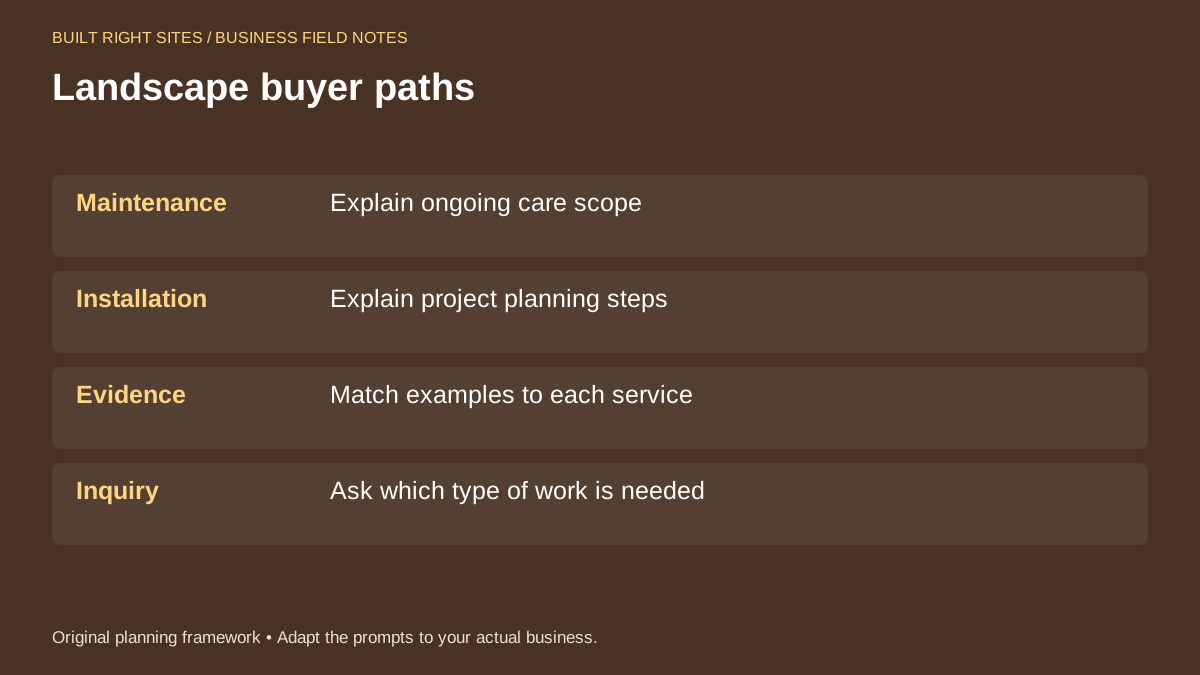
Landscape buyer paths
- Maintenance: Explain ongoing care scope
- Installation: Explain project planning steps
- Evidence: Match examples to each service
- Inquiry: Ask which type of work is needed
An original planning framework from Built Right Sites, not a validated benchmark.
Example: a property manager and a homeowner should see different next steps
Here is a simple hypothetical example. A property manager lands on the maintenance page. The page headline reads: “Ongoing Landscape Maintenance for Multi-Property Sites.” The first paragraph says the business helps facilities keep exterior spaces on a regular care schedule. The call to action says: “Tell us your property type and current schedule.”
A homeowner lands on the installation page. The headline reads: “Landscape Installation for Front Yards and Outdoor Projects.” The first paragraph says the business helps plan and quote project work based on site goals and scope. The call to action says: “Share photos and describe the area you want to change.”
Those two pages do not try to say the same thing in different words. They answer different questions and ask for different information. That is the point. The business is still one company, but the online path changes based on what the visitor is trying to buy.
When you separate lawn maintenance from landscape installation online, you help visitors move faster toward the right conversation. Keep the recurring-care path focused on scope and scheduling, keep the project path focused on planning and fit, and match examples to each service. Use the worksheet to organize those choices, but keep the final wording grounded in how your business actually works. The result should be a clearer site that helps people ask the right question the first time.
Related articles
See how your next website could work
A clear site gives interested customers a useful next step. Explore a homepage for your business, then decide whether it fits.
See my free homepageSources and further reading
- Google: Manage services — Business Profiles can group services and describe them.
Sources checked October 18, 2026. The worksheets and practical recommendations are our editorial guidance. AI-assisted drafting; reviewed before publication.