Start with a project story, not a photo dump
If you want roofing project photos marketing to do useful work on your site, organize each set around one project story. The goal is to help a homeowner or property manager understand what the job involved, what was visible before the work, and what changed after the work was completed.
A simple story format works well: what kind of roof or project it was, what the customer needed explained, what evidence you can show, and what the next step should be. That keeps the page focused on the decision a prospect is trying to make, instead of just showing images without context.
Capture three kinds of images for each project
Use a mix of wide views, detail photos, and finished-result images. Wide views help a visitor understand the roof as a whole. Detail images can show the parts of the job that matter, such as an area of wear, a repair location, or the finished work around a feature. Finished-result images help close the story by showing the completed roof in context.
Avoid making the photos carry the whole message by themselves. A strong set of roofing before and after photos website pages usually needs short captions that explain what the viewer is seeing and why it matters. Keep the explanation plain and factual, such as what was inspected, what was replaced, or what was completed.
Explore roofing website layouts for projects and inspection requests for an example of how this can work on a site.
Write captions that help people understand the job
Captions should do more than identify a picture. They should help a prospect understand the scope and the reason the images are included. For example, a caption can say that the photo shows the roof before service, a close view of a problem area, or the completed installation after the approved work was finished.
Keep captions short and specific. If you say too little, the page feels vague. If you say too much, the page can start reading like a technical report. Aim for enough detail that a visitor can follow the story and know what kind of inspection or estimate request makes sense next.
Protect privacy and avoid misleading presentation
Before publishing any roofing project photos, get permission for use. That should be part of your normal process whenever a project may appear on your website or in other marketing. You should also avoid showing identifiable addresses, license plates, or other details that could expose a customer’s location.
Do not use stock photos as if they were completed client work. If a picture is not from the actual project you are describing, label it honestly or leave it out. Visitors should be able to trust that the images match the service story you are telling.
Do not try to use the photos to make technical diagnosis claims beyond what you can actually support. It is better to describe what was observed and what work was performed than to overstate what a photo proves.
Put this into practice
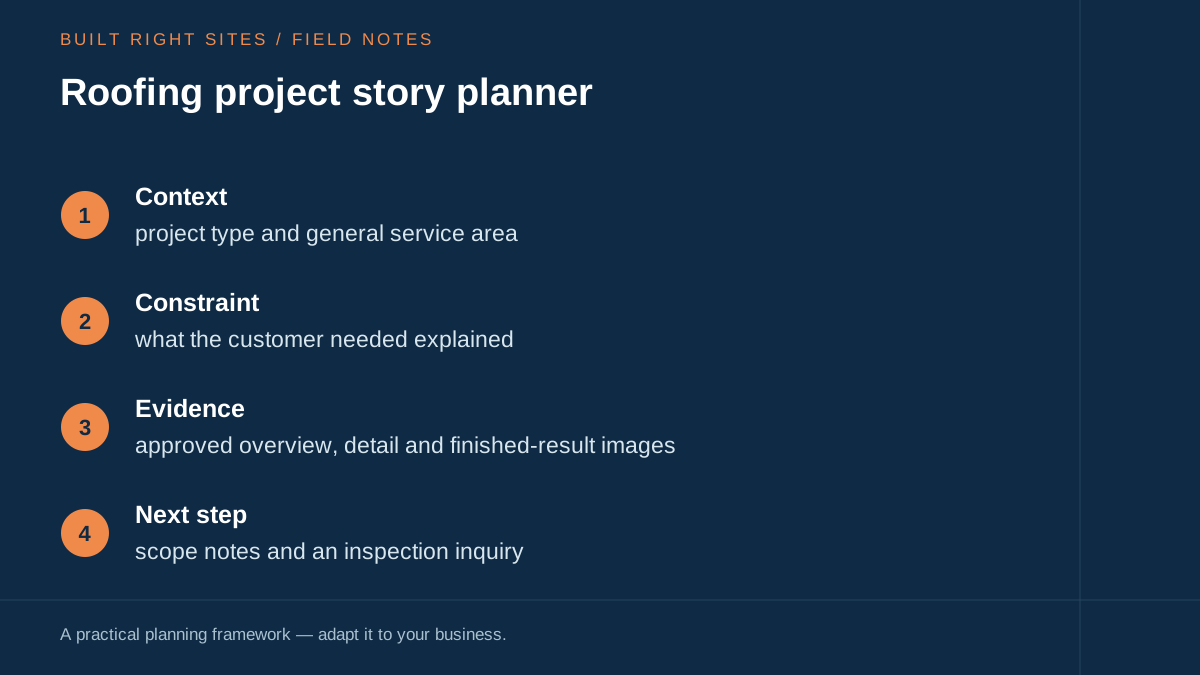
Roofing project story planner
- Context: project type and general service area
- Constraint: what the customer needed explained
- Evidence: approved overview, detail and finished-result images
- Next step: scope notes and an inspection inquiry
An original planning framework from Built Right Sites, not a validated benchmark.
Turn one approved project into a clear story
Use this fictional outline to plan a real project page: a homeowner requested work on an existing tile roof; your team documented the agreed scope; the page shows an approved overview, a relevant detail, and the finished area. Replace every placeholder with verified information from your own job records.
A useful caption template is: “Project type: [verified scope]. Location: [general area, with permission]. Shown here: [what the photo visibly demonstrates].” Avoid claiming a photo proves hidden damage, code compliance, insurance coverage, or performance it cannot establish.
Fill in the project-story worksheet before selecting the pictures. If you lack permission or cannot verify the scope, leave that project out until the record is complete. Use photos captured safely by authorized people; do not ask customers to climb onto a roof for your website.
Make the next step easy without overloading the form
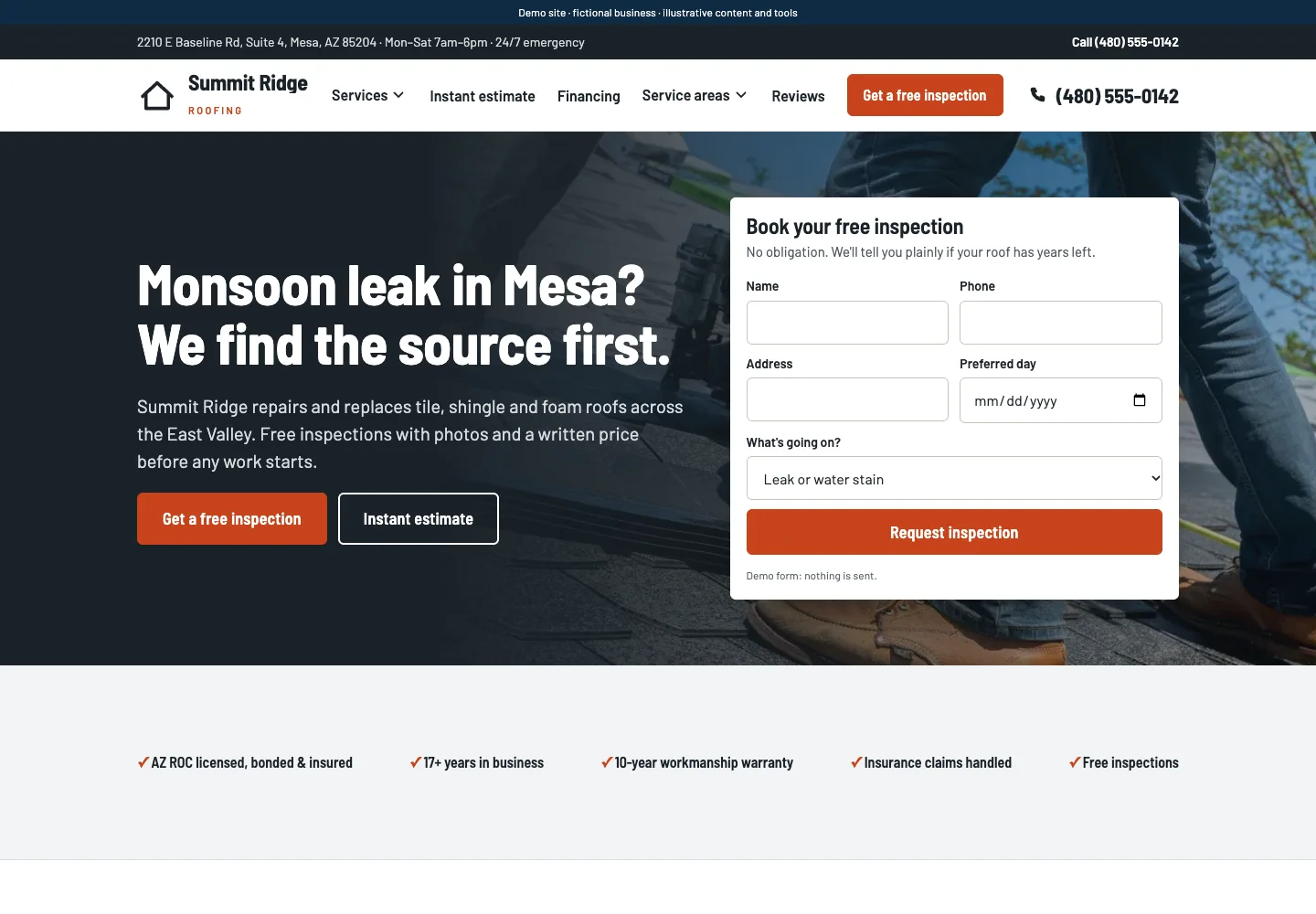
A good project page should make it easy for a visitor to ask for help. That does not mean asking for every detail up front. A concise form with visible labels, clear instructions, and useful feedback is easier for people to complete and easier for your team to manage. Request only the information necessary for the process.
For a roofing business, that usually means the basic contact details, the property location, and a short note about what the visitor wants inspected. Keep the wording plain. If a form asks for too much information, people may stop before they send it. If it asks for too little, your team may have to chase down basics later.
You can also support the form with simple service language near the photos. For example, explain that the project examples are there to show how you document work, and invite the visitor to request an inspection if they need help identifying a problem or planning repairs.
Build the page around operations, not just appearance
Photo presentation is only one part of the job. To make the page useful for a small business, connect the images to real operations: how you inspect a roof, how you document work, how you decide what to recommend, and how someone can reach your team. That helps the visitor understand the process, not just the finished look.
Roofing project photos work best when they explain a real job in a simple, honest sequence: context, visible evidence, completed result, and the next step. If you plan the story, protect privacy, write useful captions, and connect the page to a clear inquiry process, you give prospects a better way to understand your work. That is more useful than a generic gallery and more credible than photos with no explanation.
Related articles
See how your next website could work
A clear site gives interested customers a useful next step. Explore a homepage for your business, then decide whether it fits.
See my free homepageSources and further reading
- W3C: Forms tutorial — Use concise forms with visible labels, instructions and useful feedback. Request only information necessary for the process.
Sources checked October 18, 2026. The worksheets and practical recommendations are our editorial guidance. AI-assisted drafting; reviewed before publication.