Start with the kind of traffic you are getting
When people visit but do not inquire, the first question is not whether the site looks good. It is whether the visitors match the service you want to sell. If your pages attract people looking for a different service, a different location, or a different customer type, they may leave without contacting you.
Review your main landing pages and compare them with the services you actually want to book. If a page is drawing broad traffic but your business serves a narrow market, the page may need clearer wording about who you help and where you work. That does not mean you need more pages every time. It means the page should better match real demand and real fit.
Make the offer and fit obvious fast
A visitor should be able to tell within a few seconds what you do, who you serve, and what kind of work you take on. If that is not obvious, people may keep searching rather than reaching out. Clear service descriptions help, but so does naming the location, customer type, and any basic requirements for a project or quote.
This is especially important for local and trade businesses. If someone is looking for a contractor website not generating leads, the problem may be that the site never answers a simple question: is this business the right fit for my job? Be direct about the services you offer and the types of jobs you handle. If you do not serve a certain area or customer type, say so plainly.
Explore website tools for contact and quote requests for an example of how this can work on a site.
Add proof that supports a decision
People often contact a business after they feel confident the company can handle their situation. Proof does not need to be dramatic. It can include plain examples of the work you do, clear descriptions of your process, commonly asked questions, licenses or certifications if relevant, and strong service-area details. The point is to reduce uncertainty.
If your site has traffic but no inquiries, check whether visitors can quickly understand what makes your business credible enough to contact. Do not rely on generic claims. Use specific details that help a prospect decide whether to move forward, such as the kinds of projects you take, what happens after they reach out, and what information you need from them.
Reduce contact friction on mobile and desktop
Even when a visitor is interested, small obstacles can stop the inquiry. Phone links may be hard to tap, forms may ask for too much information, or the next step may be unclear. A good contact path should be easy to find, easy to use, and easy to complete on a phone.
The W3C forms guidance recommends concise forms, visible labels, clear instructions, helpful feedback, and asking only for information needed for the process. That is a good standard for a small business site. If you ask for too much upfront, some visitors may abandon the form. If confirmation is unclear, they may wonder whether the message went through. Make the action simple and the result obvious.
Put this into practice
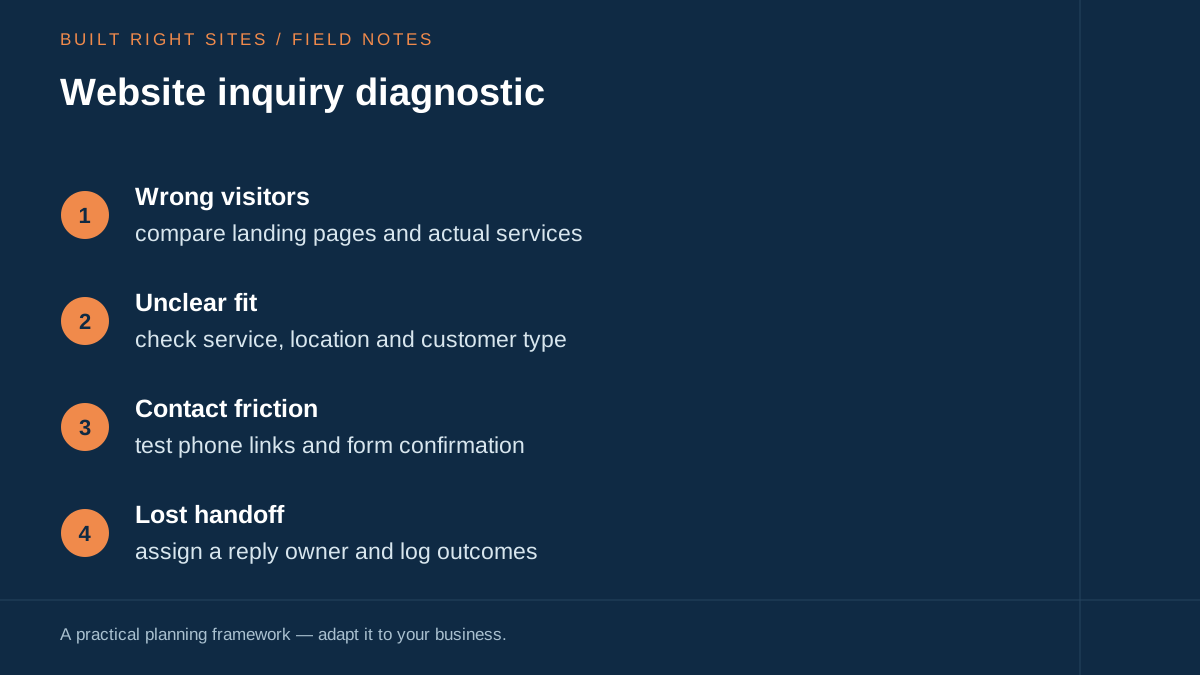
Website inquiry diagnostic
- Wrong visitors: compare landing pages and actual services
- Unclear fit: check service, location and customer type
- Contact friction: test phone links and form confirmation
- Lost handoff: assign a reply owner and log outcomes
An original planning framework from Built Right Sites, not a validated benchmark.
Match the next action to the evidence
Use the diagnostic worksheet to connect an observation to a test. If visitors arrive on a service you no longer offer, check the page and referral source before changing the contact form. If people call asking whether you serve their town, make the service area easier to find.
If a test form never reaches your inbox, check delivery and spam handling before buying more traffic. If legitimate inquiries arrive but have no recorded response, assign the handoff before redesigning the page. These are different problems and should not all trigger the same fix.
Write down what you observed, the change you made, the owner, and the date you will check again. A successful technical test shows that a function works. It does not establish that a design change caused an improvement in sales, especially when there are only a few inquiries.
This worksheet organizes observations. It does not calculate a score, supply a conversion benchmark, or validate a diagnosis.
Track qualified contacts and jobs the same way every time
If you want to know whether changes help, define what counts as a qualified contact and what counts as a job. Use the same definitions every time so your records stay consistent. For example, you might decide that a qualified contact is someone in your service area with the right project type, and a job is a signed, scheduled, or otherwise accepted piece of work based on your business process.
Without consistent definitions, it is hard to tell whether your website is bringing better leads or just more messages. Keep a simple log of where the inquiry came from, what service it asked about, whether it was a fit, and whether it became work. That kind of record helps you see patterns in traffic quality, page content, form performance, and follow-up.
Fix the handoff after the form or call
Many businesses focus on the front end and ignore what happens after someone reaches out. If no one owns the reply, or if follow-up is slow or inconsistent, good inquiries can disappear. Assign one person to monitor calls, form submissions, and voicemail, then log each outcome so you can see where leads are getting lost.
The follow-up step should match the type of business you run. Some leads need a quick call back, while others need a written estimate or a request for more details. Either way, make the next step clear inside your process. A strong website can start the conversation, but your internal response system is what keeps the inquiry from slipping away.
Pick one observable problem, make a specific change, and check what happens next. Keep the definition of a qualified inquiry consistent. A few visits or inquiries are too small a sample to show that your change caused a sales improvement; keep testing the contact path and recording outcomes before drawing a conclusion.
Related articles
See how your next website could work
A clear site gives interested customers a useful next step. Explore a homepage for your business, then decide whether it fits.
See my free homepageSources and further reading
- W3C: Forms tutorial — Use concise forms with visible labels, instructions and useful feedback. Request only information necessary for the process.
Sources checked October 18, 2026. The worksheets and practical recommendations are our editorial guidance. AI-assisted drafting; reviewed before publication.